
arctos® DigiTrust.Video

Business Video Solutions for Building Digital Trust

Scheduled VideoReal-time VideoSelf-Service VideoLive Broadcasting
arctos® DigiTrust.Zone

Starting with Video, Going Beyond Video

Anti-tampering
Anti-forgery
Anti-impersonation
Anti-fraud

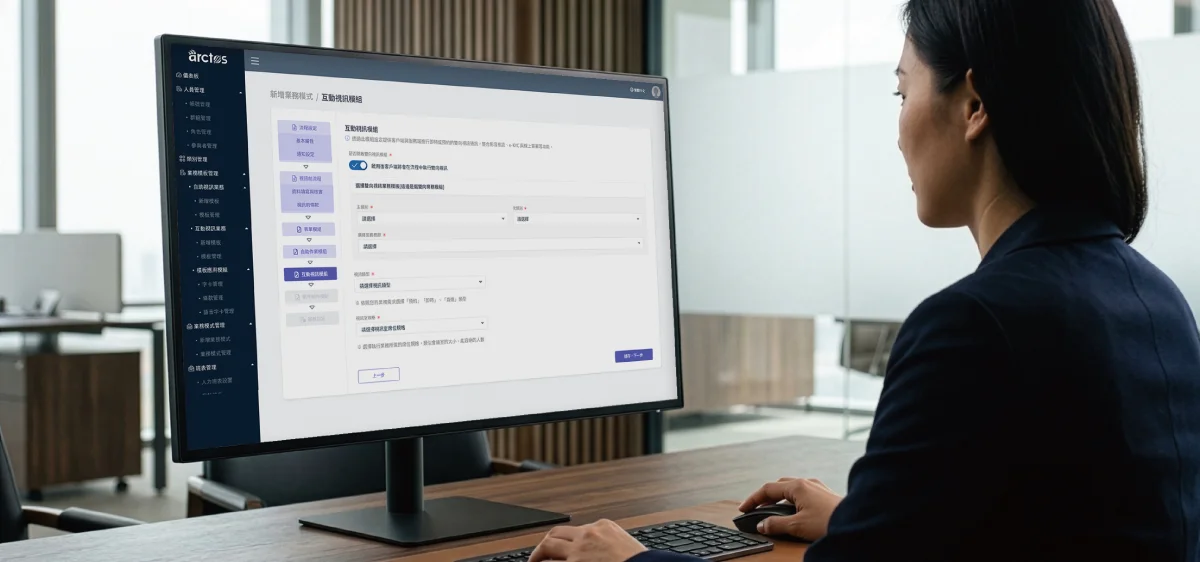
Service Provider

The service provider co-signs a contract with a participant via video
The service provider helps a participant fill out a form via video

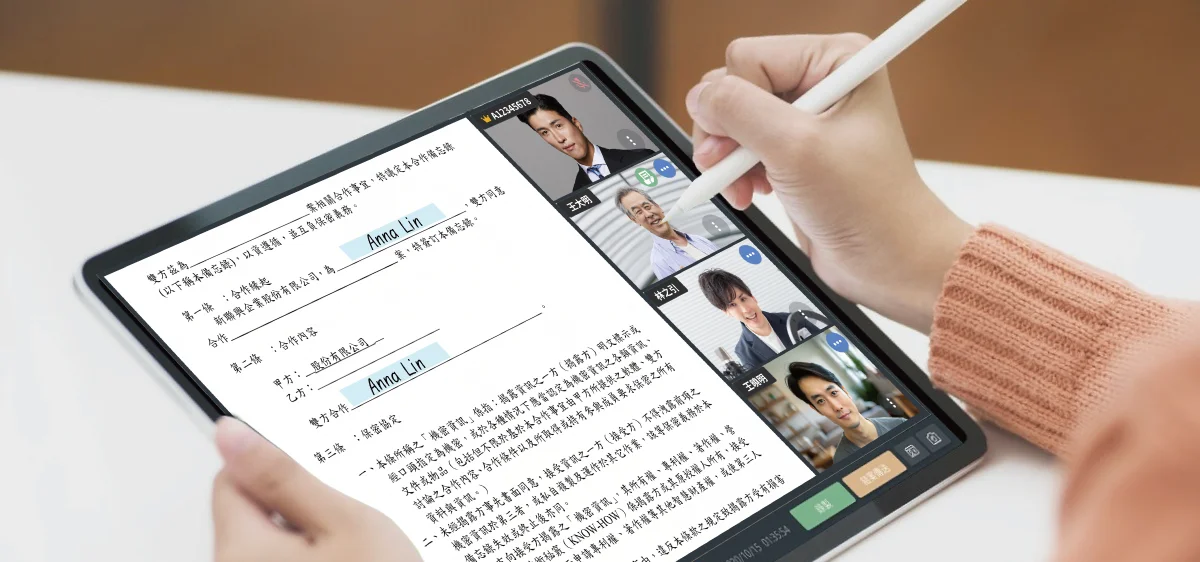
Participants

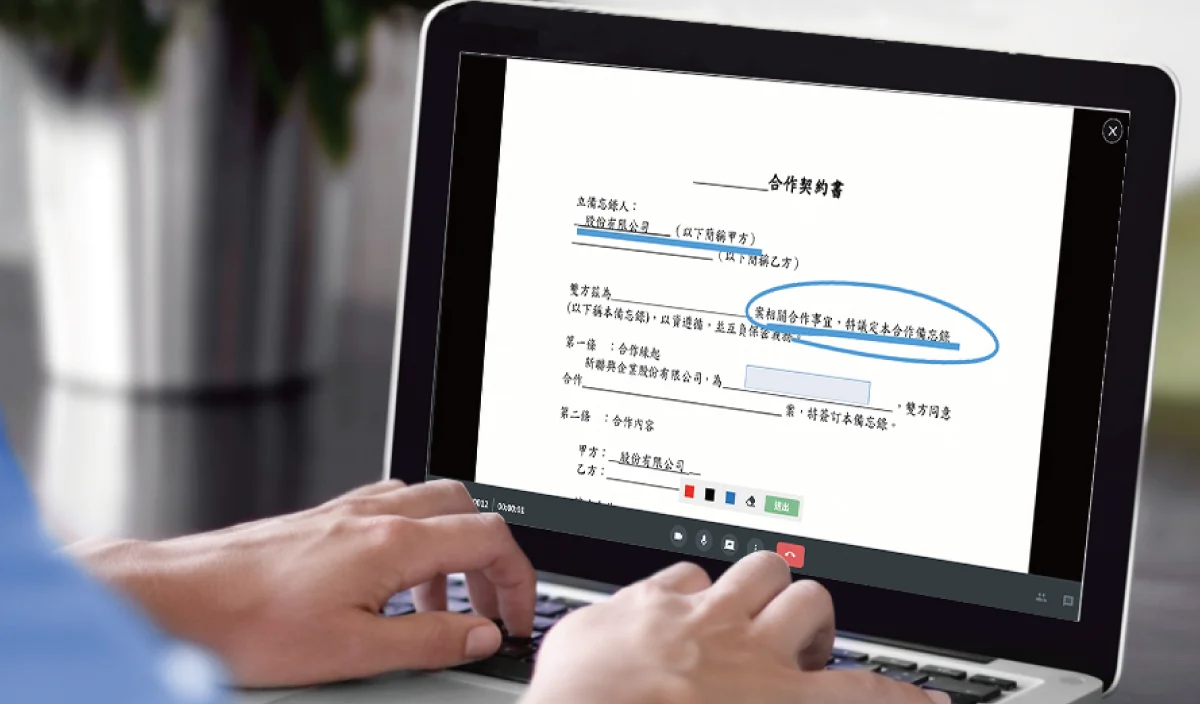
A participant underlines and annotates a document during the video session

Video Annotation

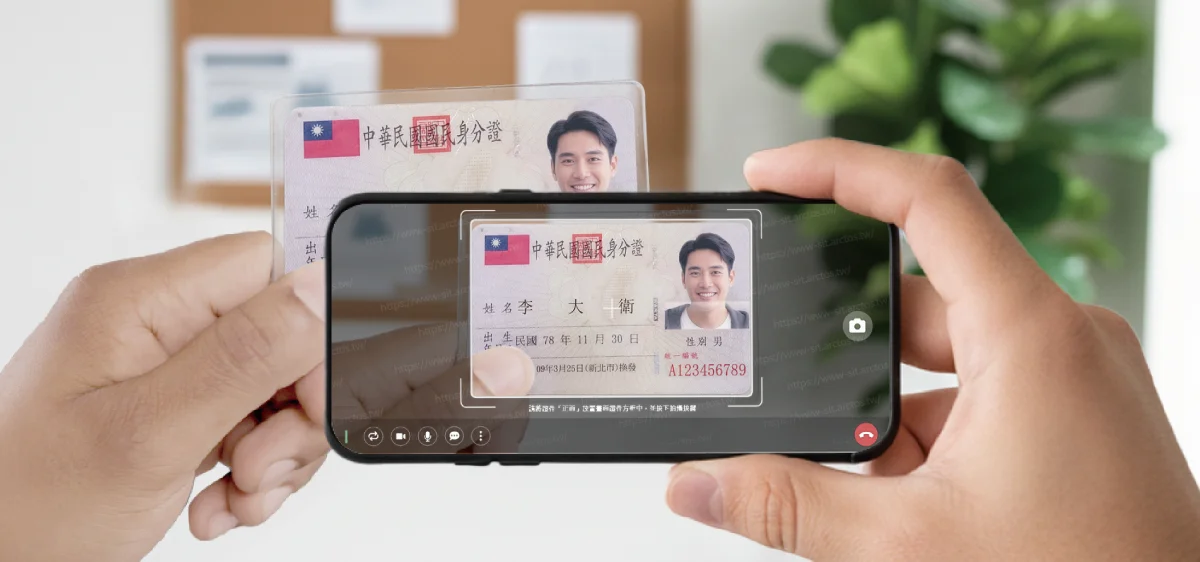
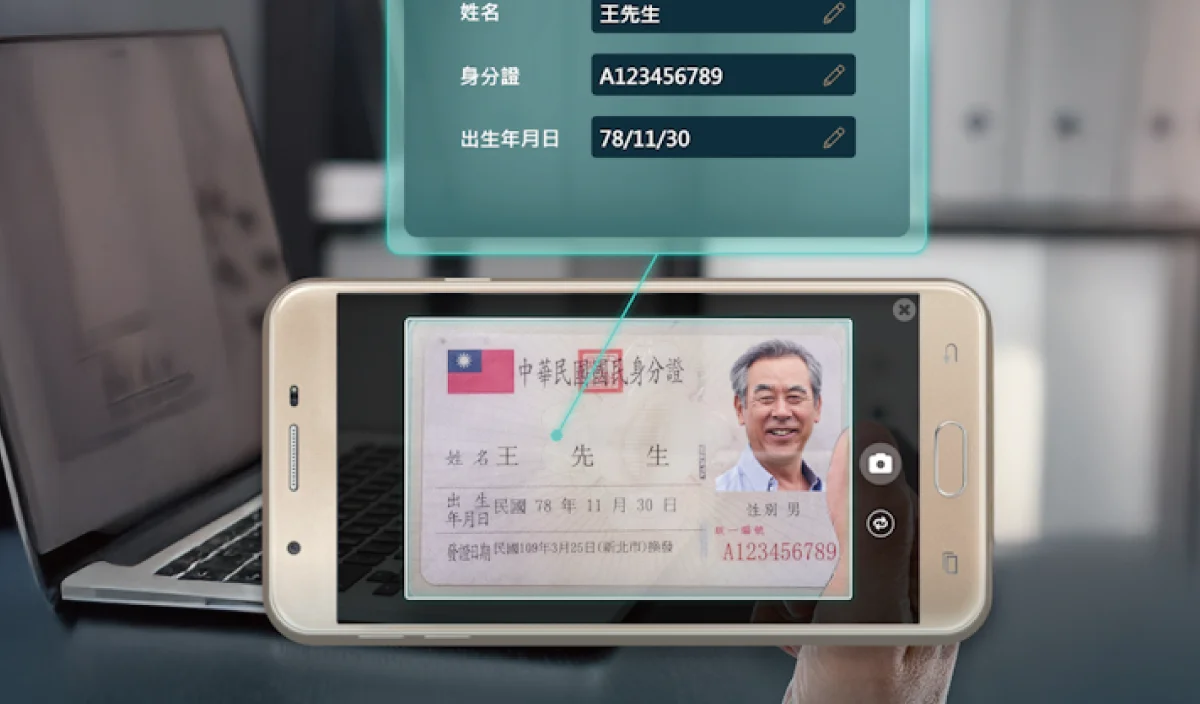
A participant photographs an ID card with a mobile phone for verification

ID Recognition

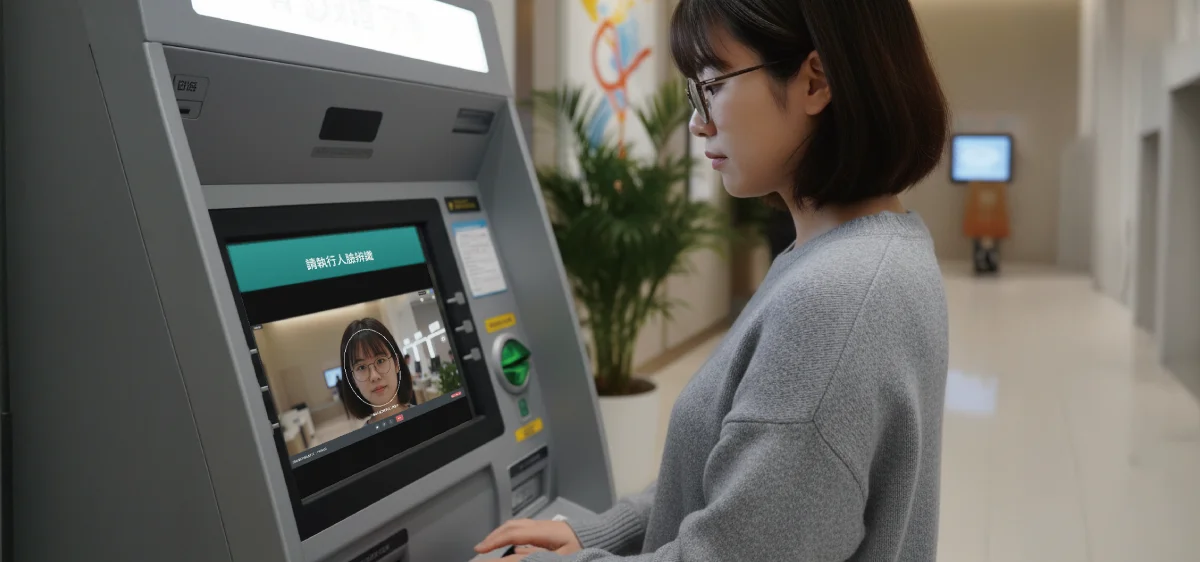
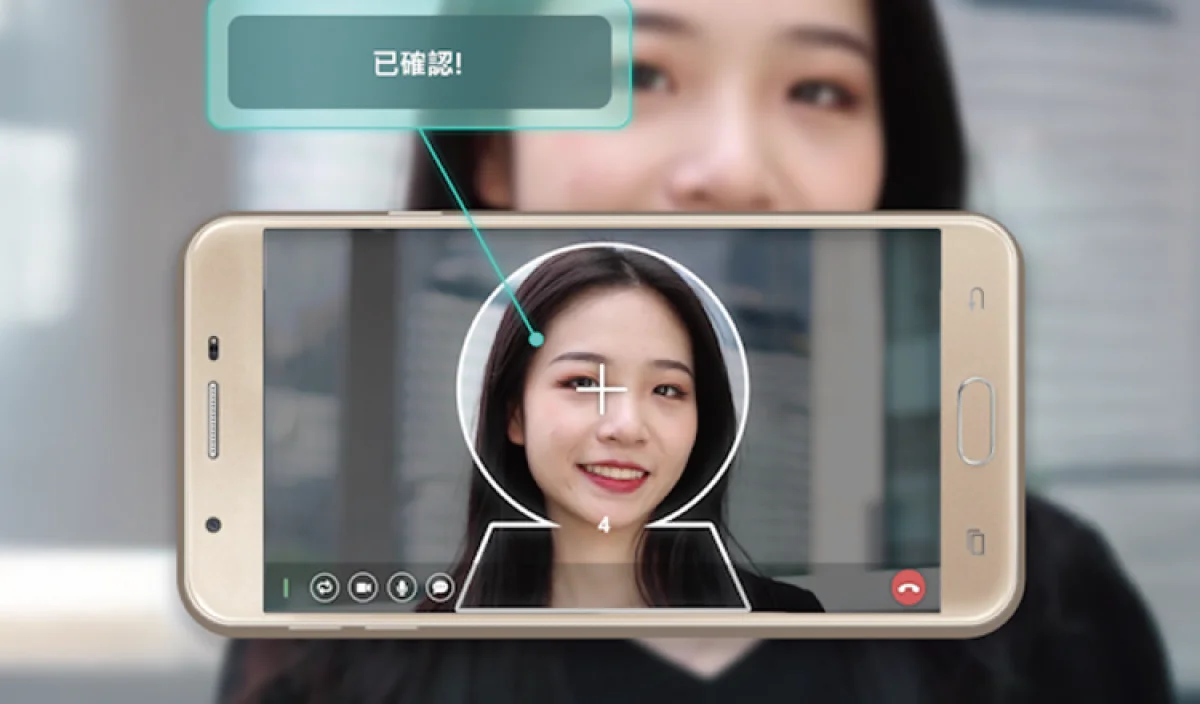
A participant performs face recognition with a mobile phone

Face Recognition

arctos® DigiTrust.Video is strategically positioned as a "Business Video Solution"

Social Video
arctos® DigiTrust.Video
Business Video
Video Conferencing
01

Used by enterprises and institutions to conduct business operations and services

02

Generates digital evidence throughout case execution

03

Delivers non-repudiable evidentiary value in case outcomes

04

Meets industry-specific requirements while ensuring regulatory compliance

05

Instills high mutual trust in results across both enterprise and client sides

DigiTrust.Solution
Video.SDK
Web SDKAPP SDK

Used to develop required video applications, tailored to the business system and its management mechanisms

DigiTrust.Video

Supported by business mode, encryption, and anti-counterfeiting mechanisms, integrating required application services and AI tools

DigiTrust.Zone

Generating digital evidence and behavioral records to aggregate into the four pillars of non-repudiation evidentiary value

Resulting Outcomes and Business Benefits
Anti-tamperingAnti-forgeryAnti-impersonationAnti-fraud

Expanding and Upgrading from a "Business Video Solution" to a "Digital Trust Solution"

arctosⓇ DigiTrust.Solution delivers a comprehensive solution — far beyond a standalone system or a simple APP

Online · Remote Interaction
Offline · On-Site Services
1

arctos® DigiTrust.Video( Video Applications )

Relay Communication

Web-based, APP-based

Direct Communication

APP-based, SDK-based

2

arctos® DigiTrust.Admin( Business Systems )

Admin Portal

Task Operations Hub

Authorization Center

API Hub

3

arctos® DigiTrust.Web( Web Applications )

Case Creation & Execution

Video-Integrated Workflows

Continuously Expanding Toolset

(In-house developed functional modules + Premium external partner services)

ID Recognition
Liveness Detection
TWCA Digital Certificate
AATL Digital Signature
Face Recognition
ID-to-Face Matching
TTS+STT
AI Voice Bot
Electronic Signature
Video Annotation
Digital Watermark
RFC3161 TSA Timestamp

Customized Services

Customized Services

Admin Portal

Task Operations Hub

Authorization Center

API Hub

Relay Communication

Web-based, APP-based

Direct Communication

APP-based, SDK-based

Case Creation & Execution

Video-Integrated Workflows

(In-house developed functional modules + Premium external partner services)

ID Recognition
Liveness Detection
TWCA Digital Certificate
AATL Digital Signature
Face Recognition
ID-to-Face Matching
TTS+STT
AI Voice Bot
Electronic Signature
Video Annotation
Digital Watermark
RFC3161 TSA Timestamp
Customized Services

Easily configure multiple business modes to set up and execute cases, with on-demand access to AI tools during execution to generate digital evidence

01
Setup · Step 1

Configure "Industry Category"

【Preset Once, Reuse Infinitely】

The arctos® DigiTrust.Zone admin system allows dedicated "Business Spaces" to be created for operations across different industry sectors, ensuring complete data segmentation and independent workflows. Data from different industries remains entirely isolated within its respective business space.
Team members can switch business spaces simply by logging in again, allowing a single account to assume distinct role permissions and belong to different workgroups to execute cases across different business spaces.

Business Space Switcher
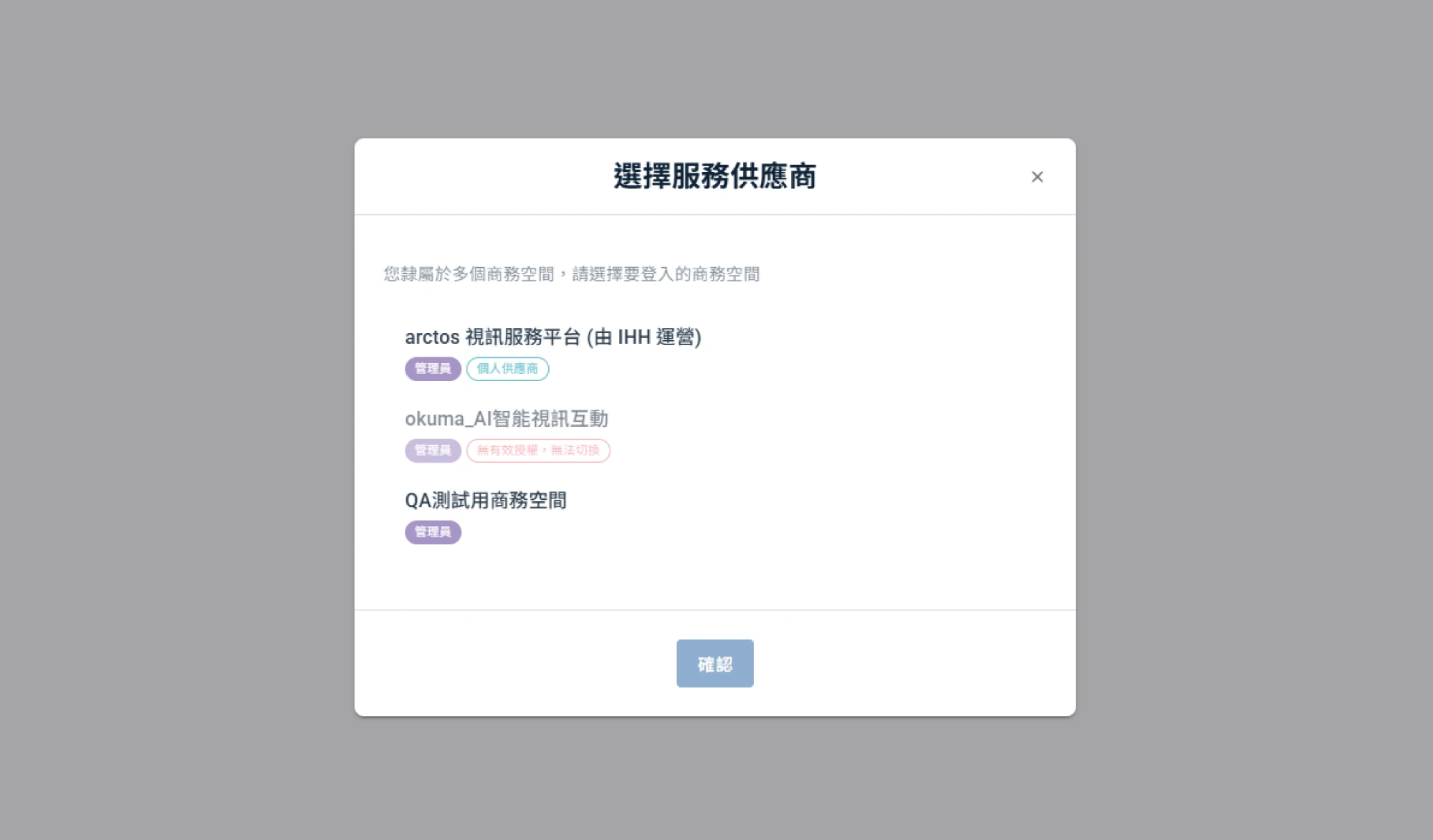
Example of Selecting a Business Space After Account Login
Example:
Consumer FinanceCorporate FinanceInsurance AgencySecurities Account
Group Configuration Example
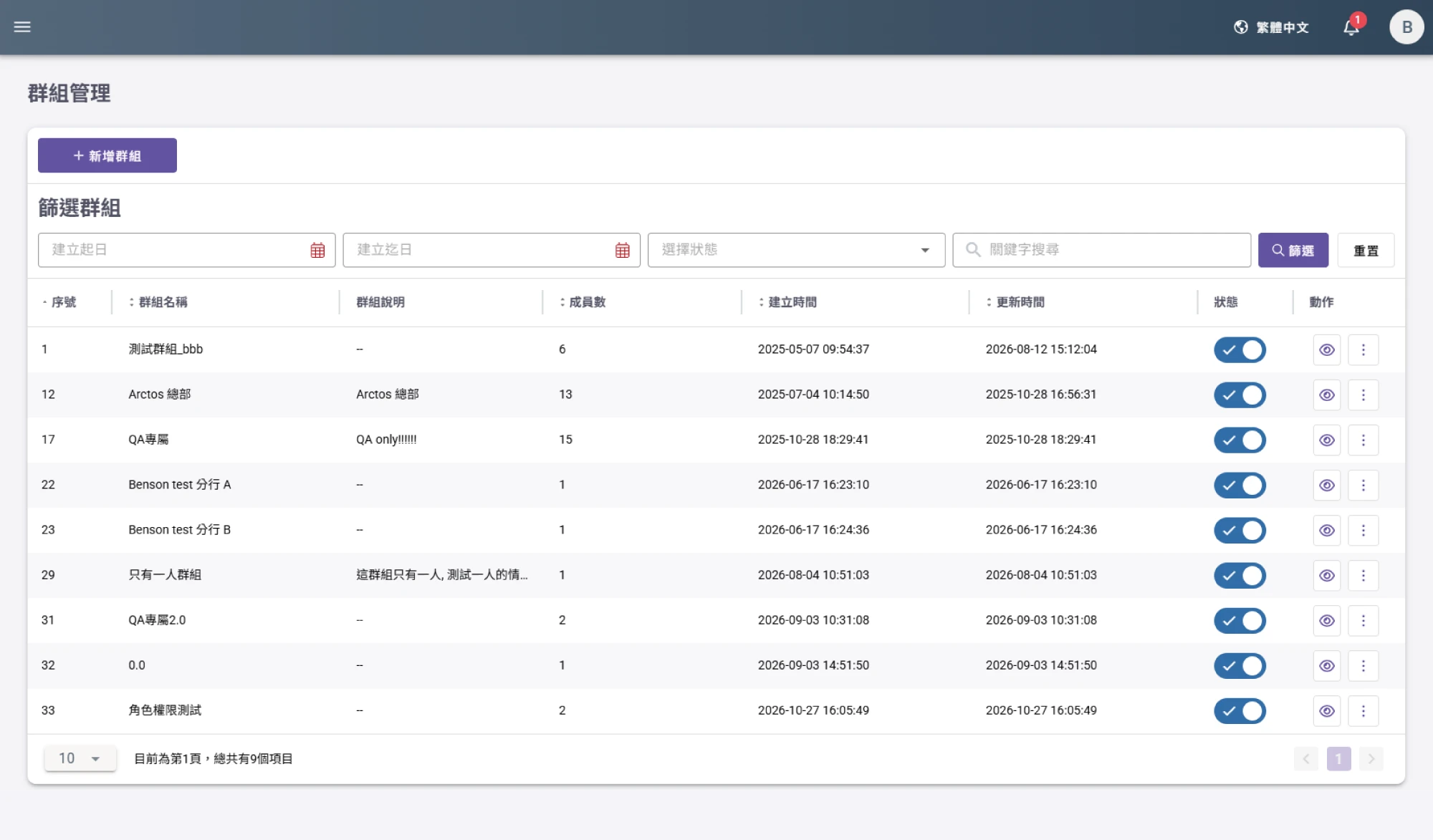
Example of One Account Configured into Multiple Groups
Example:
After entering the Consumer Finance business space, there areTaipei Branch GroupFinancial Advisor (RM) GroupWealth Management Customer Service Group
02
Setup · Step 2

Configure "Business Category"

【Preset Once, Reuse Infinitely】

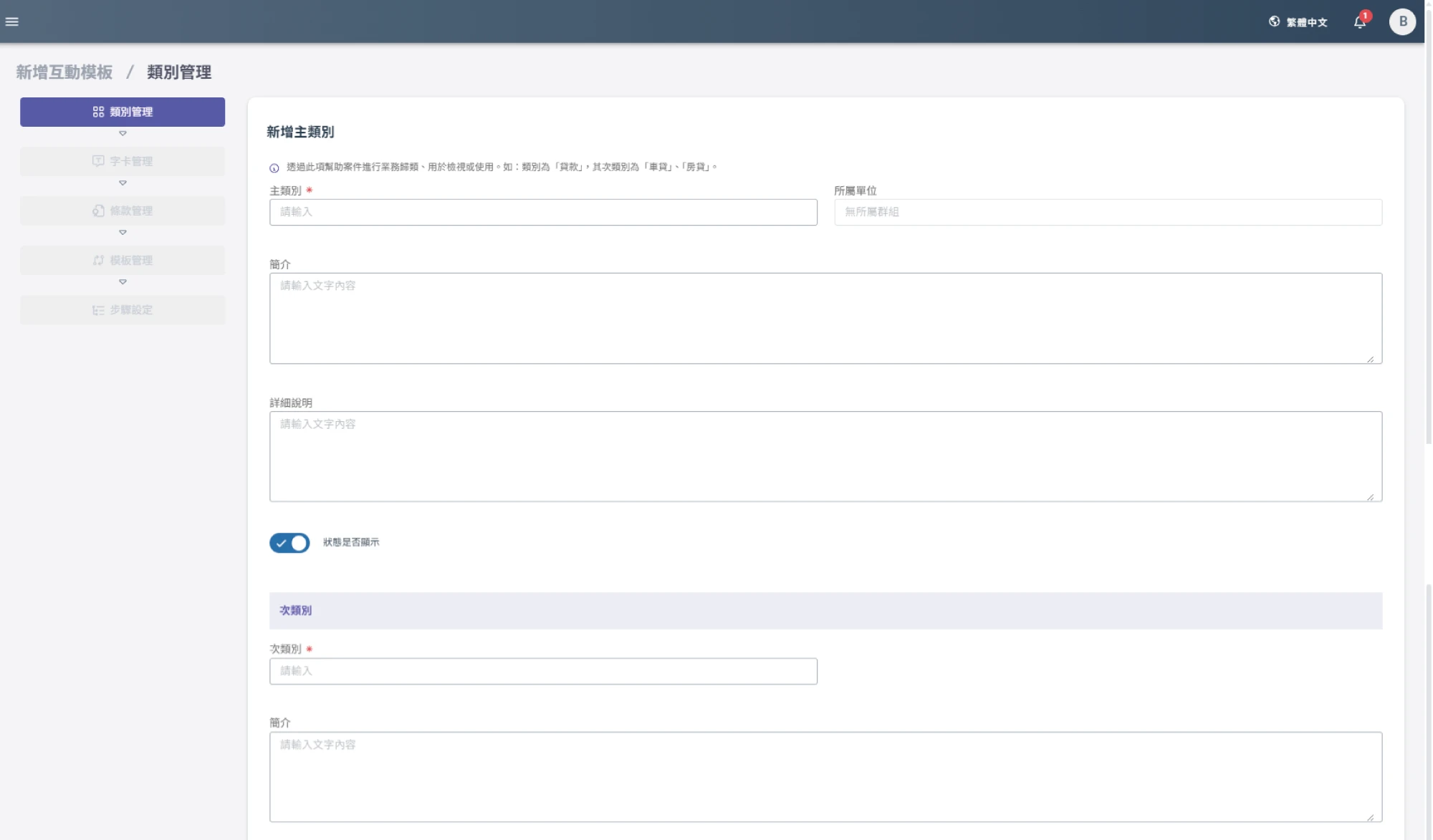
After logging into arctos® DigiTrust.Zone admin system, users can select a specific Business Space to enter and configure the business categories to be processed within it. Categories can be added, activated, modified, or deactivated at any time.

Business Category and Subcategory Management
Active
Example of Configuring Business Categories and Their Subcategory Lists
Example:
Consumer Banking Account Opening —Digital Account OpeningCredit Card ApplicationSecurities Account
03
Setup · Step 3

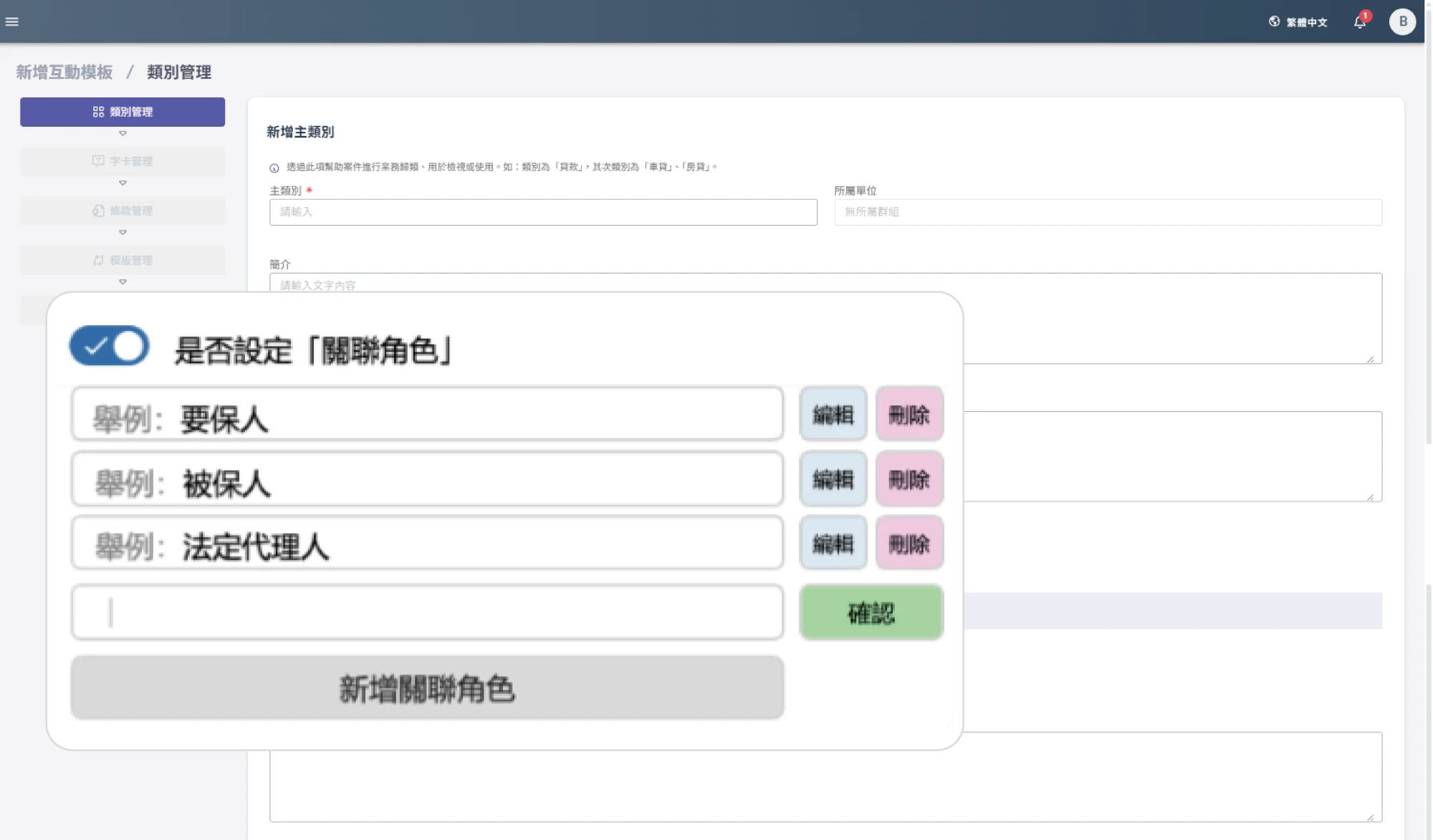
Configure "Roles Involved"

【Preset Once, Reuse Infinitely】

You can configure the associated roles for each business category, which allows assigning different collaborative tasks during case execution — such as identity verification, e-signing, and personal data collection.

Roles Associated with Business SubcategoriesRole Matrix
Example of Configuring Related Roles Under a Business Subcategory
Example:
Video Insurance Enrollment for a Minor —Sales AgentPolicyholderInsuredLegal Representative
04
Configuration · Step 4

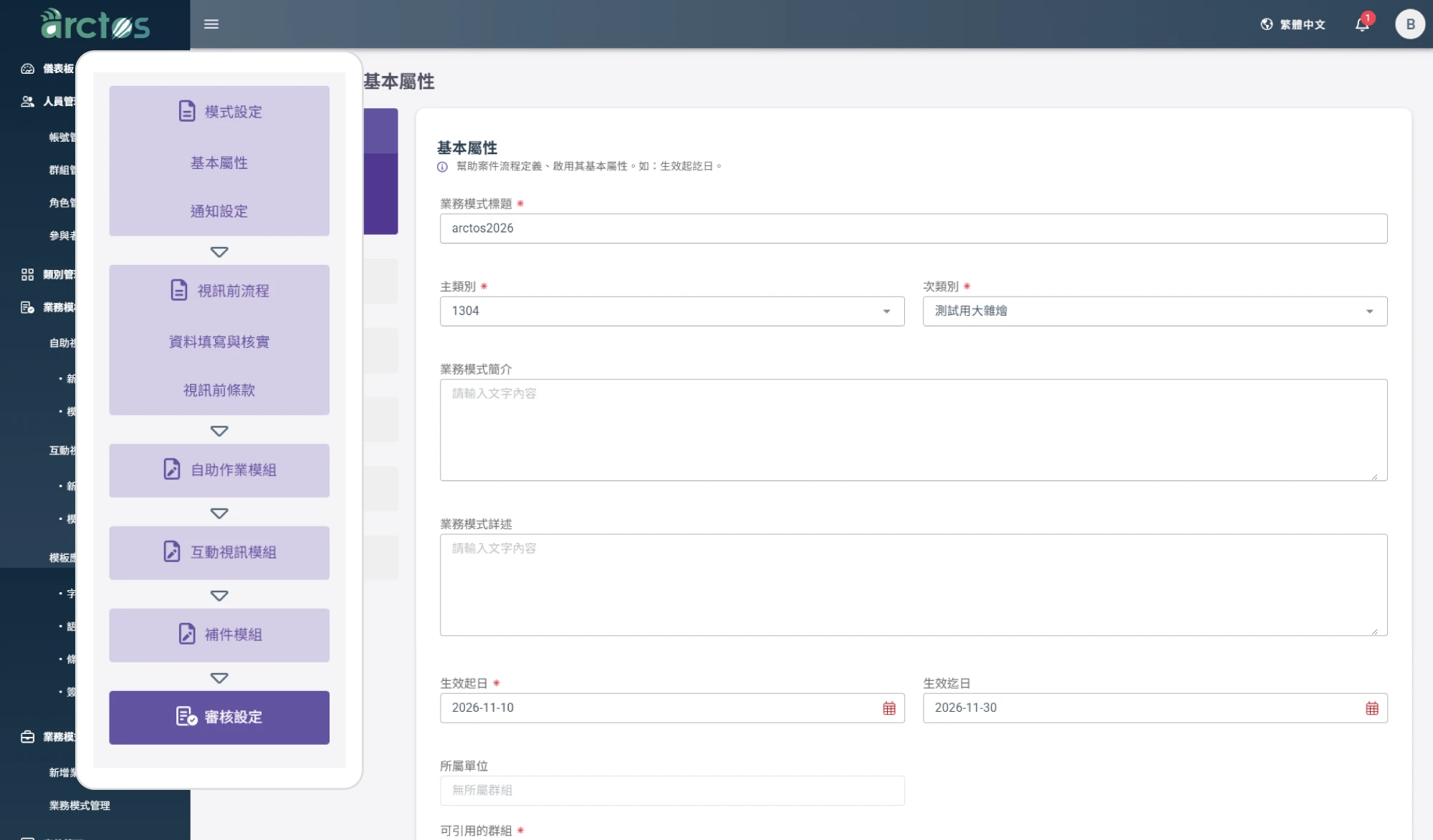
Configure "Business Mode"

【Preset Once, Reuse Infinitely】

You can configure a dedicated business workflow for each business category, including:

Pre-case Notifications:

Send reminders ranging from a few days to a few minutes before the session.

Pre-processing Workflow:

Define prerequisites to be completed prior to joining the interactive video session, which can be a web-based workflow or a self-service video workflow. It can independently form a case and generate a case report, or link directly into an interactive video workflow to form a case.

Interactive Workflow:

Highly flexible configuration of tasks to be executed during the interactive video session, including text prompt cards, voice prompt cards, documents to guide through, audio-video content to watch, and actions to perform (e.g., invoking toolsets for identity verification and electronic signing).

Post-processing Workflow:

Following the interactive video session, the system automatically compiles all participants' personal data, activity logs, action results, and reviewed content into the case report, and submits it for review. Reviewers can approve and close the case, return it requesting supplementary documents, or reject and cancel it.

Document Supplementary Workflow:

For cases returned for document replenishment, you can configure submission methods and validity time limits.

For each of the workflows above, execution steps can be toggled on/off to determine their availability, or dragged and dropped to reorder the execution flow. Without writing code or outsourcing development, general personnel can easily configure and execute them.

Example of Configuring a Business Mode from Scratch
[ Business Mode Drag-and-Drop Arrangement Interface Example ]
05
Execution · Step 5

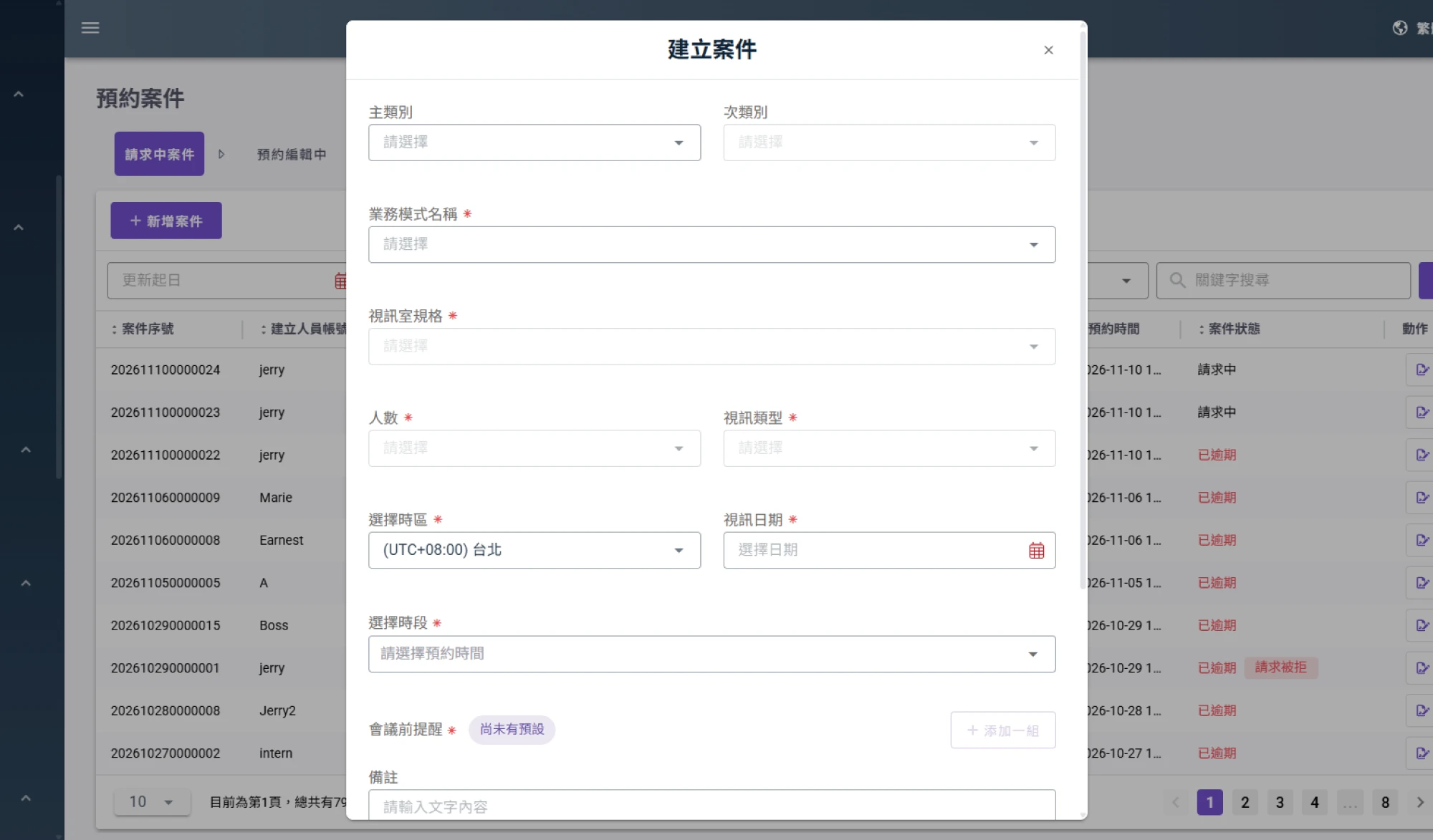
Select "Case Model" and generate the case

【Create and Execute New Cases Based on Business Modes】

Create new cases based on the business type to be executed and its dedicated business mode. Case Modes include:

Web Operations Model
Real-Time Video Model
Scheduled Video Model
Self-Service Video Model
Case Officer Back-Office Appointment Creation Screen
Example of a Case Officer Creating a Scheduled Video Session in the Back Office
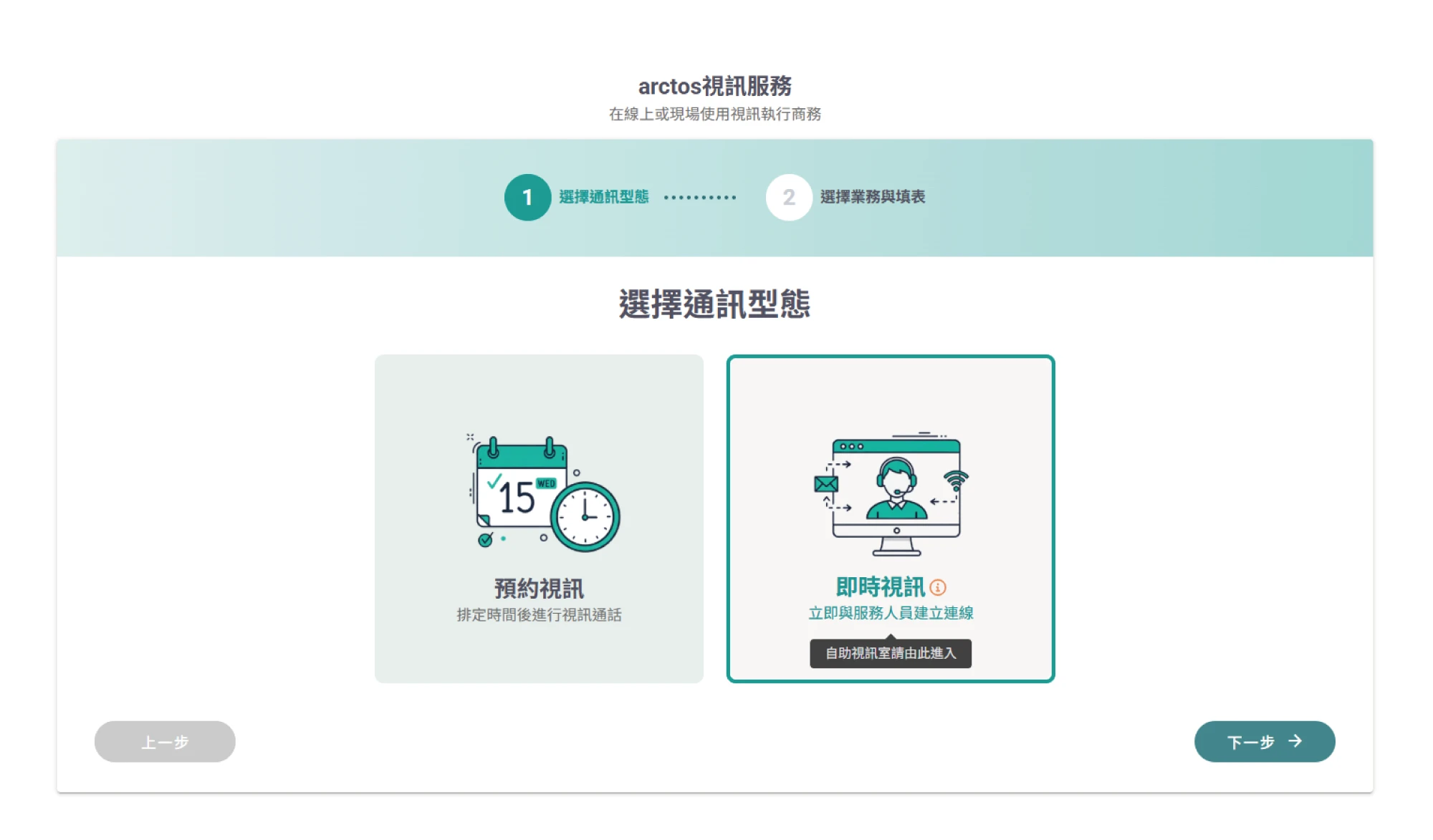
Front-End Real-Time Request Interface for the Public
Example of a Member of the Public Requesting a Real-Time Video Session on the Front End
06
Execution · Step 6

Execute the case and track progress

【Creating and Executing New Cases Based on Business Modes】

Case execution and progress tracking.

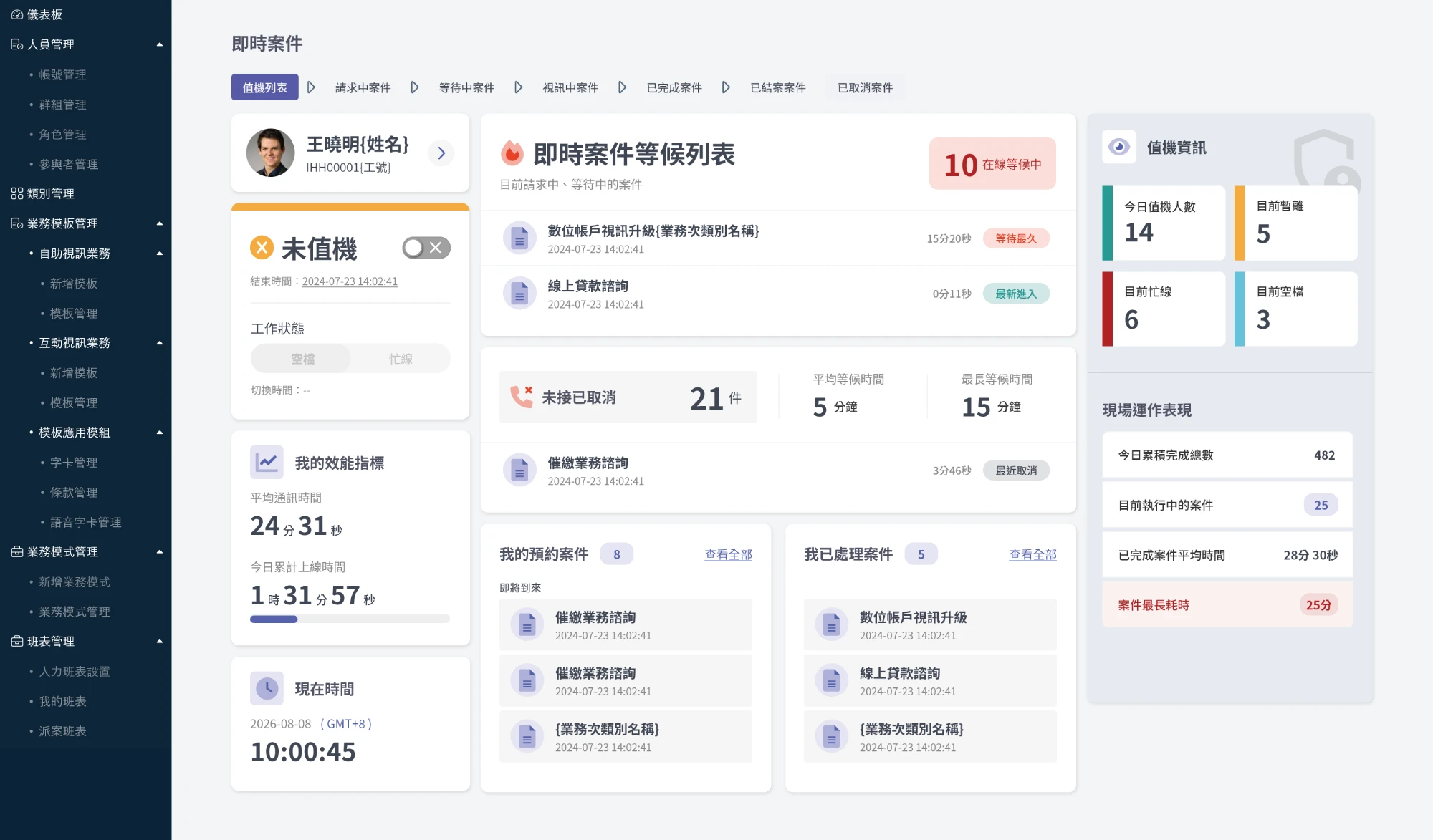
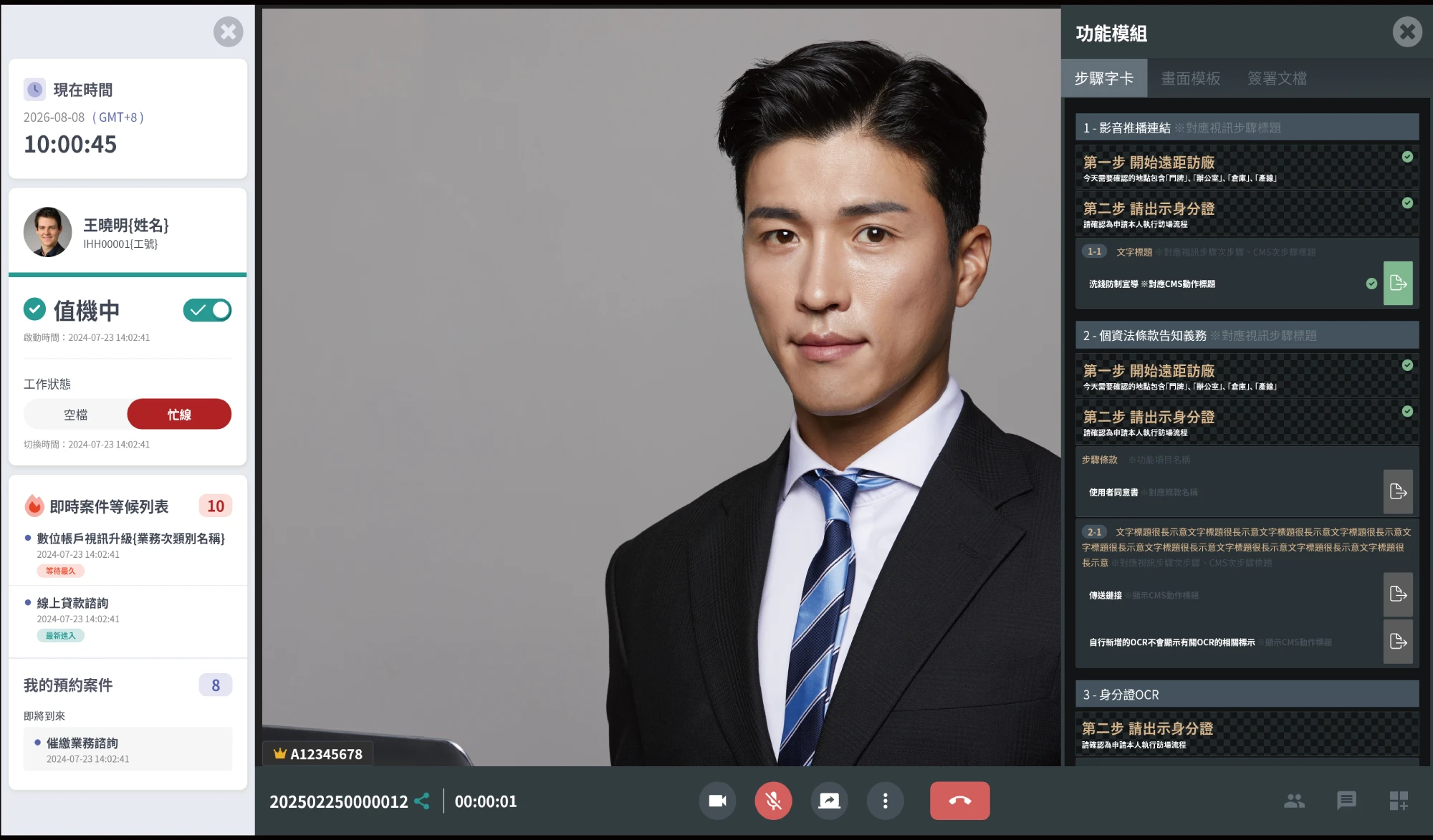
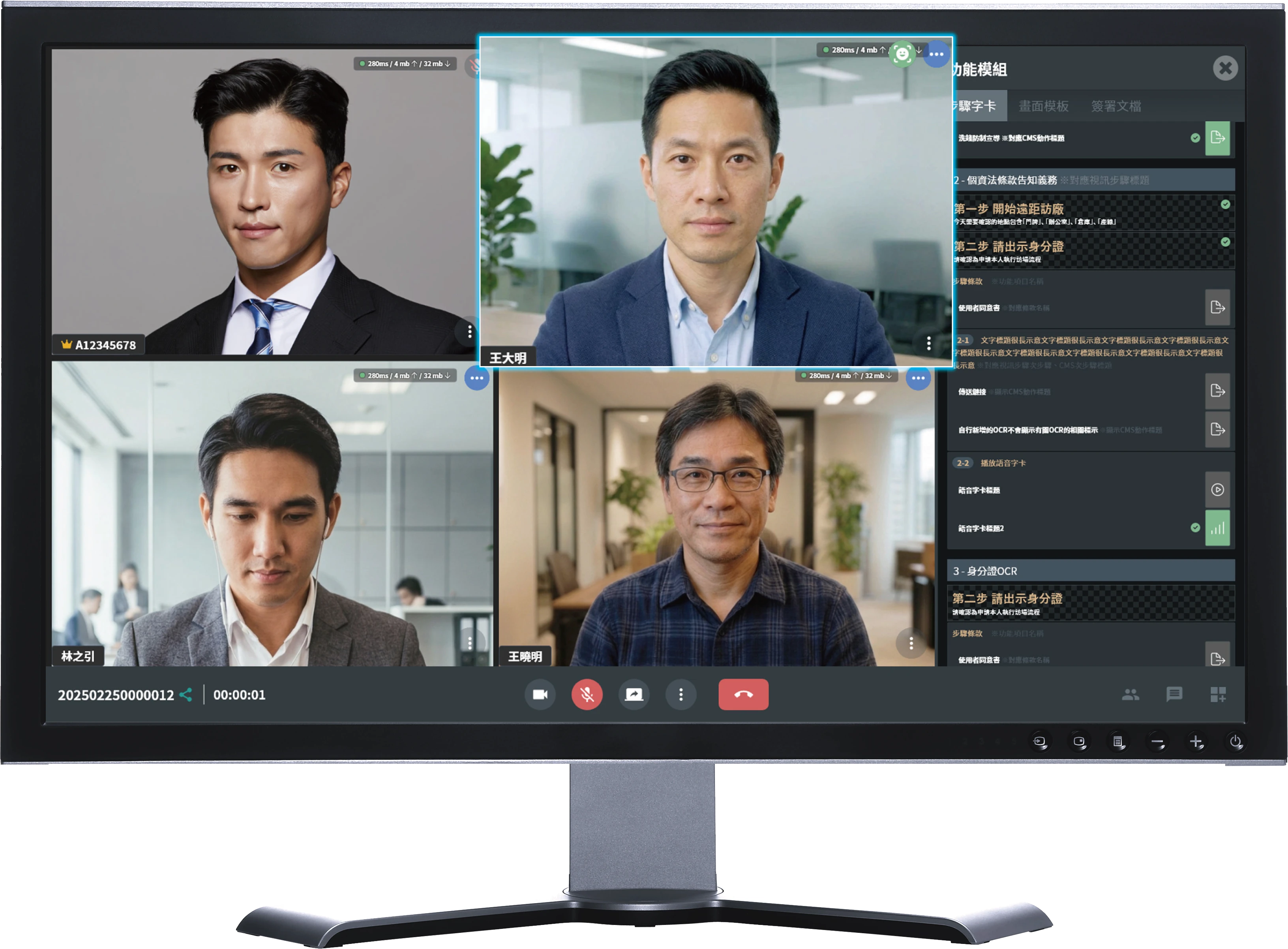
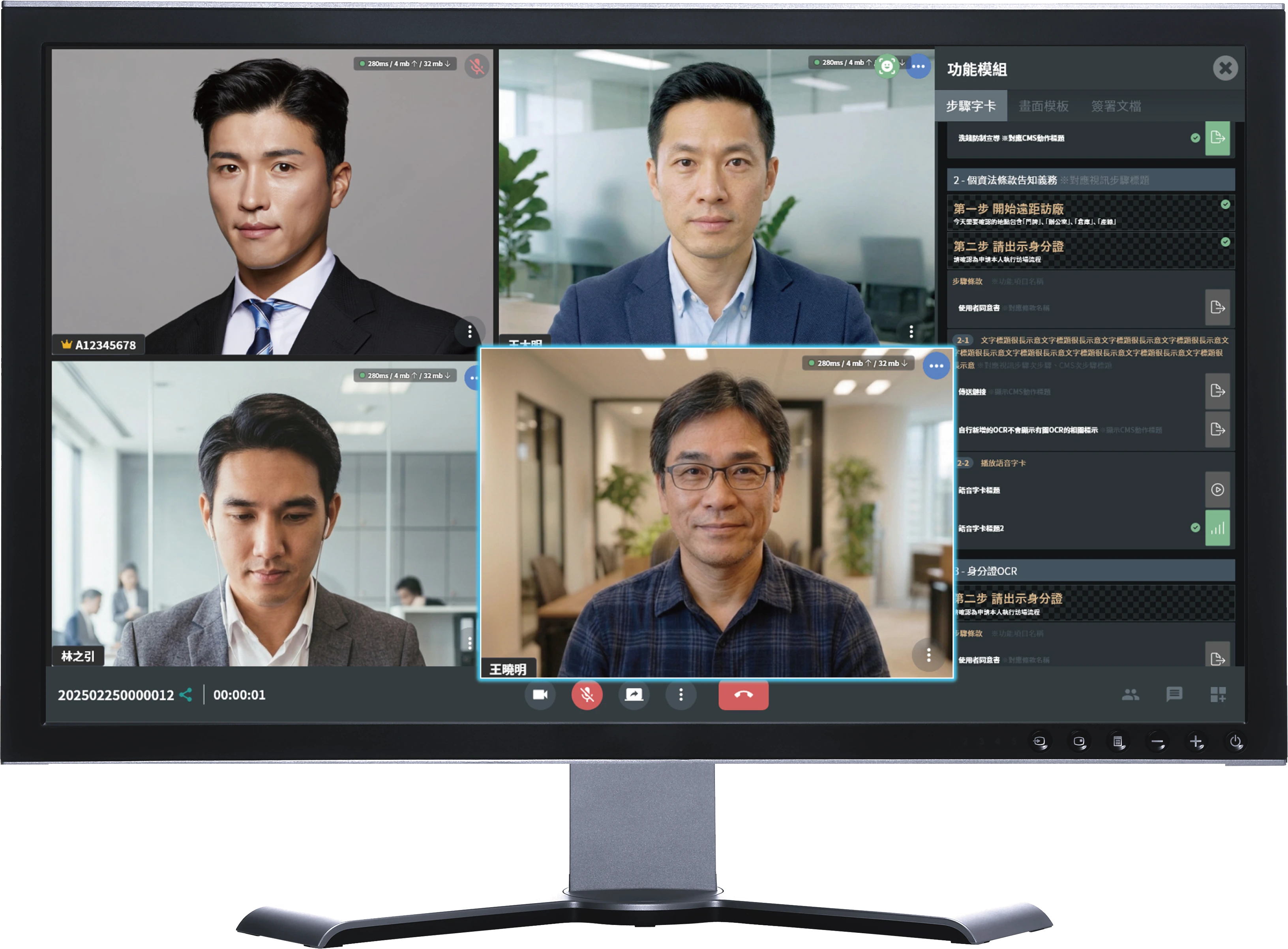
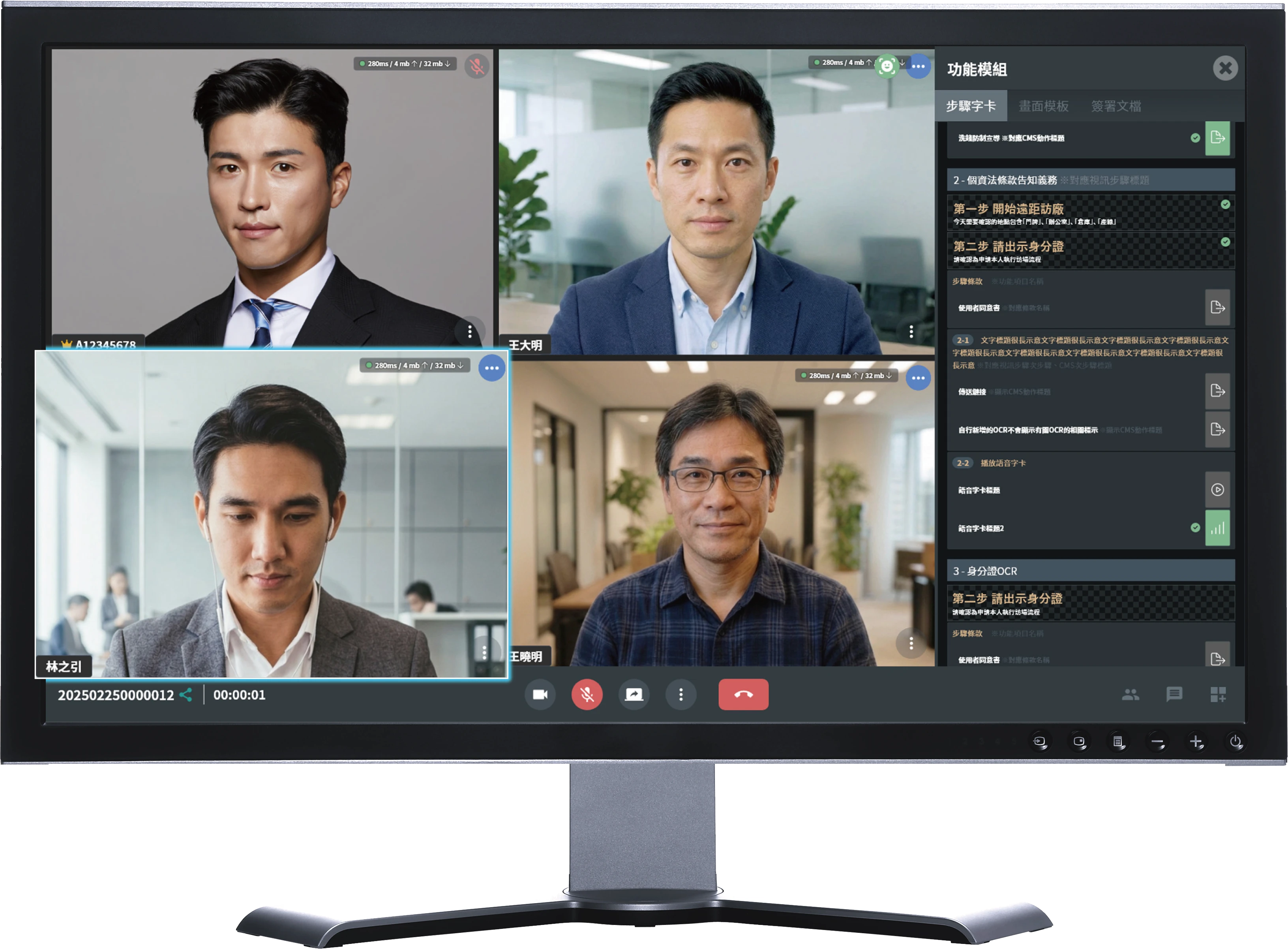
The business mode is transformed into a "Process Management Interface" utilized by the service provider acting as the video host.

Here, a variety of functions and layout templates are available for service providers.

Example of the Real-Time Video On-Duty Interface

Example of the Real-Time Video On-Duty Interface

Example of a Real-Time Video Session with the On-Duty Interface

Example of a Real-Time Video Session with the On-Duty Interface

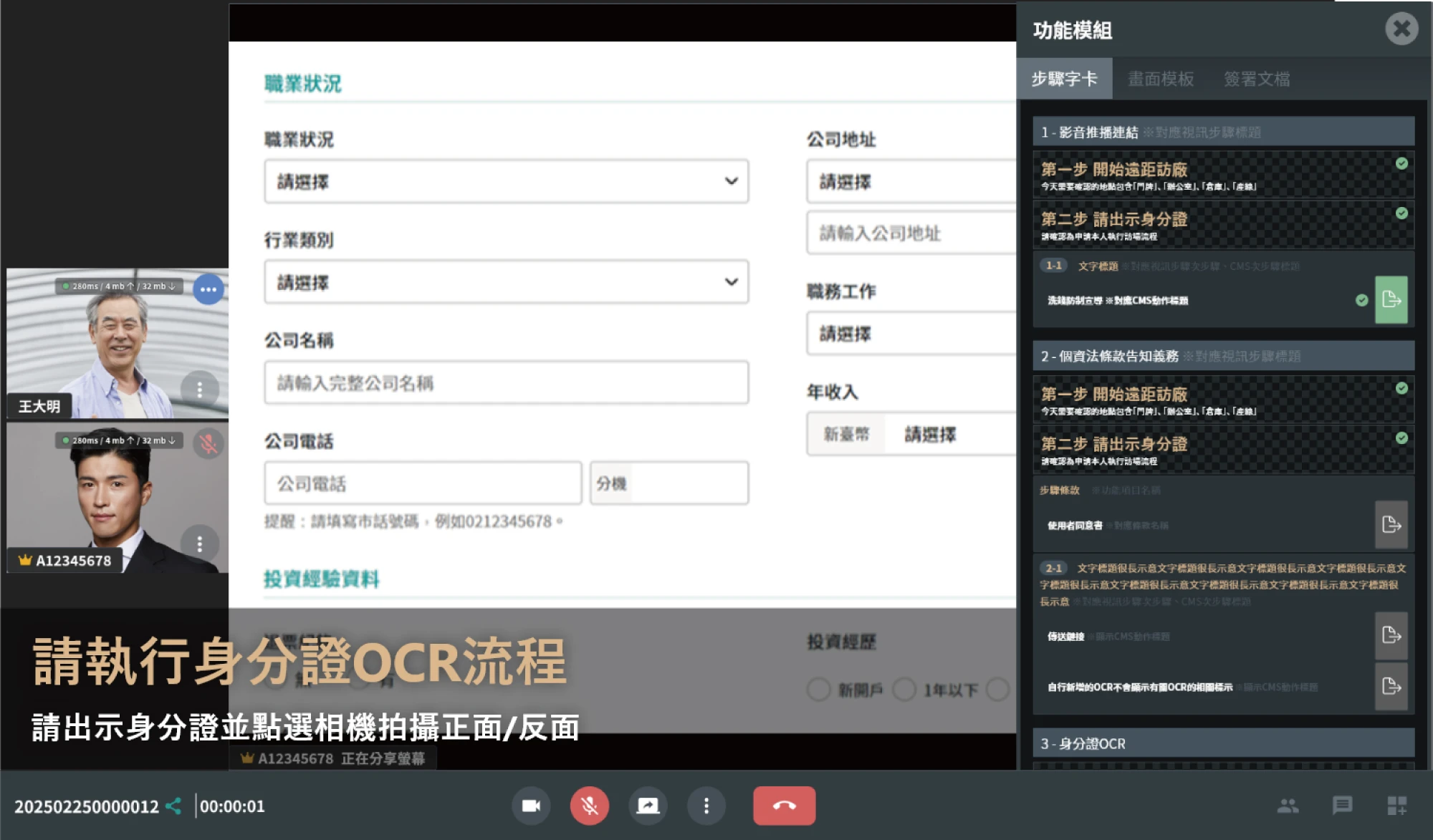
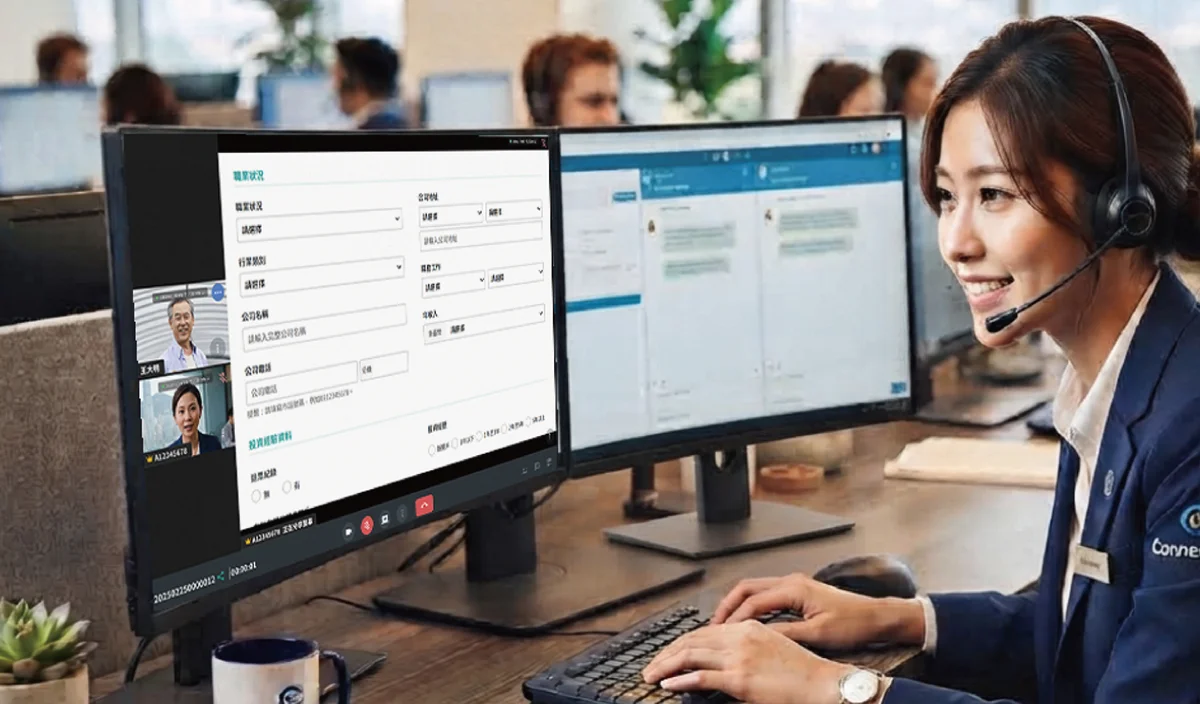
During a real-time video session, the host can help the client fill in information, and the client can see it in real time

During a real-time video session, the host can help the client fill in information, and the client can see it in real time

07
Outcome · Step 7

Automatically generate "Case Report"

【Automatically Generated by the System After Case Execution】

The system automatically consolidates all participants' personal information, activity logs, action results, and guided reading content into the case report. By aggregating all digital evidence, it establishes high non-repudiable evidentiary value for the case outcome, ensuring high mutual trust in the results across both the service provider (enterprise) and client sides.

PDF
Case Report ExampleThe system automatically generates a complete case report and consolidates digital evidence

Non-repudiation of Identity

【Confirmed to Be Performed by This Person】

  • • OTP / MID / FIDO / Digital Certificate
  • • Tokens Issued in Stages via OAuth2
  • • ID Recognition + Government Database Verification
  • • Liveness Detection + ISO30107 Certification
  • • Face Recognition + NIST Certified

Non-repudiation of Content

【Confirmed Unchanged Since Completion】

  • • Access Token (JWT) Signed with RS256
  • • E2EE Encryption
  • • Hash + Digital Signature
  • • Invisible Watermark
  • • ISO 27001 & 27701

Non-repudiation of Time and Location

【Confirmed to Have Occurred at a Specific Time and Location】

  • • RFC3161 TSA Timestamp
  • • OAuth2 One-Time AuthCode Limited to 10 Minutes
  • • Business System Token with Expiration Timestamp (exp)
  • • MQTT-Credential Valid Only for the Current Connection
  • • Network IP of Occurrence + VPN Detection
  • • GPS Coordinates + Fake GPS Detection

Non-repudiation of Process and Intent

【Confirmed Understanding of the Business Content and Voluntary Intent】

  • • Full Audio and Video Recording for Evidence
  • • Speech-to-Text Transcription and Analysis
  • • Screen Capture and Screen Recording Prevention
  • • On-Screen Text Prompt Cards to Facilitate Client Interaction
  • • Reusable Voice Prompt Cards for Clear Explanations During the Process
  • • Clear Audit Trail Usable as Evidence

Quickly deploy to system environments specified by enterprises or organizations while meeting information security requirements

Deployment Options
  • On-premises Server Rooms

  • Private Cloud Environments

  • Public Clouds

  • Hybrid Cloud Architecture

Designed for enterprises and organizations to conduct business operations or deliver services online or on site

Available User Interfaces
  • Web-based
  • android APP
  • iOS APP
  • windows APP
01

Scheduled Video

The service provider and the client schedule a specific date and time slot for a video session. Appointments can be scheduled by the service provider via the system's case management interface or personal calendar interface, or directly by the client on a designated webpage or through representatives such as phone support agents. The system can send reminder notifications prior to the scheduled session.

02

Real-Time Video

A video session can be initiated immediately by the service provider inviting the client, or requested by the client on demand. APIs are provided for enterprises to build on-demand video service request interfaces, and the solution can also integrate seamlessly with existing enterprise live chat or phone customer service systems (including AI-powered auto-dialing or inbound answering systems) to deliver instant visual services.

03

Self-Service Video

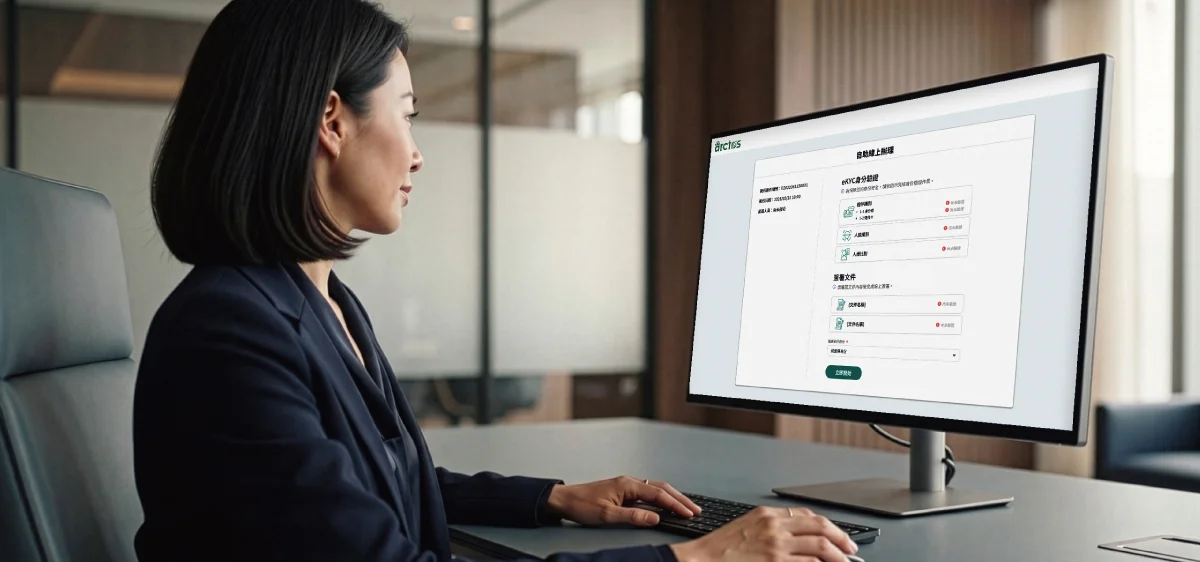
As unattended services become increasingly prevalent and vital, enterprises can preset automated business workflows in the system. Clients enter the video room and complete relevant application procedures independently by following on-screen instructions and guided navigation. The system consolidates all results and submits them to human reviewers for further processing.

Self-service video can also be combined with scheduled and real-time video to maximize operational flexibility.

04

Live Broadcasting

A scheduled video room can be switched into a live broadcast room. The original video participants become members of the live broadcast room, and the original scheduled video host acts as the director, switching the screen layout presented to external viewers. A new URL is generated for external viewers to watch the live broadcast. It can connect to social platforms such as YouTube, Facebook, and Instagram, and can also broadcast externally using your own system resources.

05

Configurable Workflow Webpages

Through business modes, self-service web workflows can be deployed independently to create and execute web-only tasks for outcome delivery.

Applicable features include:
Filling out and verifying personal information, MID or OTP verification, reviewing and agreeing to relevant terms, uploading/recognizing/comparing ID and face photos, form filling, and online document e-signing.

06

e-Signatures

Through business modes, the e-Sign feature can be utilized independently to establish and execute tasks for outcome generation.

Users can create templates for documents awaiting signature, assign participants to corresponding roles, and enable participants to complete electronic document signing or apply digital signatures with AATL certificates.

07

Certificate-Based Identity Verification

Through business modes, the e-KYC feature can be deployed independently to create and execute tasks for outcome delivery.

Identity verification is conducted by integrating with TWCA to retrieve and validate its digital certificates. Supported certificate types include:
Citizen Digital Certificate, Mobile Citizen Digital Certificate, MOEA Certification (Commercial/Company Certificate), Chunghwa Post Accounts, Financial Fast-ID, and Telecom Mobile-ID (MID).

08

Recognition-Based Identity Verification

Through business modes, the e-KYC feature can be deployed independently to create and execute tasks for outcome delivery. Features that can be enabled via toggle switches include:

ID document verification, liveness detection and facial occlusion detection, facial recognition, and ID-to-face 1:1 matching.

Integration and Deployment Methods for Enterprises and Institutions to Adopt arctos® DigiTrust.Zone

  • Method 1

    Directly Use System Features

  • Method 2

    Embed as Functional Modules into In-House Systems

  • Method 3

    Act as a Business Platform Integrating Multiple Services

  • Method 4

    Integrate with Call Center Systems

Adopted by dozens of large enterprises and organizations, with the number continuously growing

  • Banks, Life Insurance companies, Property and Casualty Insurance companies, Securities firms, Healthcare system providers, Hospitals, Far EasTone Telecom, Branded Electronics Companies, Electronics Software Solution Providers, and multiple Government agencies.

  • Certified with ISO 27001 (ISMS) and ISO 27701 (PIMS); holds multiple invention and utility model patents; awarded accolades including the Taipei FinTech Award, the Small and Medium Enterprise Innovation Research Award, and the Top 100 Startups.

Adopted across Multiple Business Models in Diverse Industries, with Application Scenarios Continuously Expanding

  • Securities Industry

    • Video e-signing to increase investment/trading limits
    • Video-based education and training
    • Large-Scale Video Seminars
  • Insurance Industry

    • Remote insurance application via video
    • Remote survival investigation (living check) via video
    • Remote underwriting inquiry (cross-check) via video
    • Remote claims mediation via video
    • Video-based valuation and appraisal
  • Banking Industry

    • Remote factory/site inspections via video
    • Remote Applications
    • Remote wealth management via video
    • Remote loan signing and identity verification via video
  • Other Domains

    • Video conferencing for case kickoff and case investigation
    • Real-time reporting via video inspections
    • Telehealth consultations via video
    • Remote Visitation